
Ask Knoi — Turn Your Meetings Into Organizational Knowledge
Key highlights:
- Meeting notes that just pile up are now transformed into searchable knowledge assets
- Ask in natural language and AI finds answers from past meetings, with source references
- Currently in enterprise early access, with continuous updates planned
Your organization's meetings are disappearing
Meetings happen every day, but the decisions and discussions within them vanish quickly. Most organizations face the same problems.
- Meeting notes just pile up — They're recorded but never revisited. Without search, they might as well not exist.
- New hires struggle with context — It takes 2-3 weeks to understand 3 months of meeting context. Undocumented decisions require asking around.
- Decision history becomes untraceable — Fewer and fewer people can answer "Why was this decided that way?"
- Follow-ups get missed — Action items from meetings repeatedly fail to get tracked to the next meeting.
Your daily meetings are your organization's greatest asset. But if they're not leveraged, they vanish.
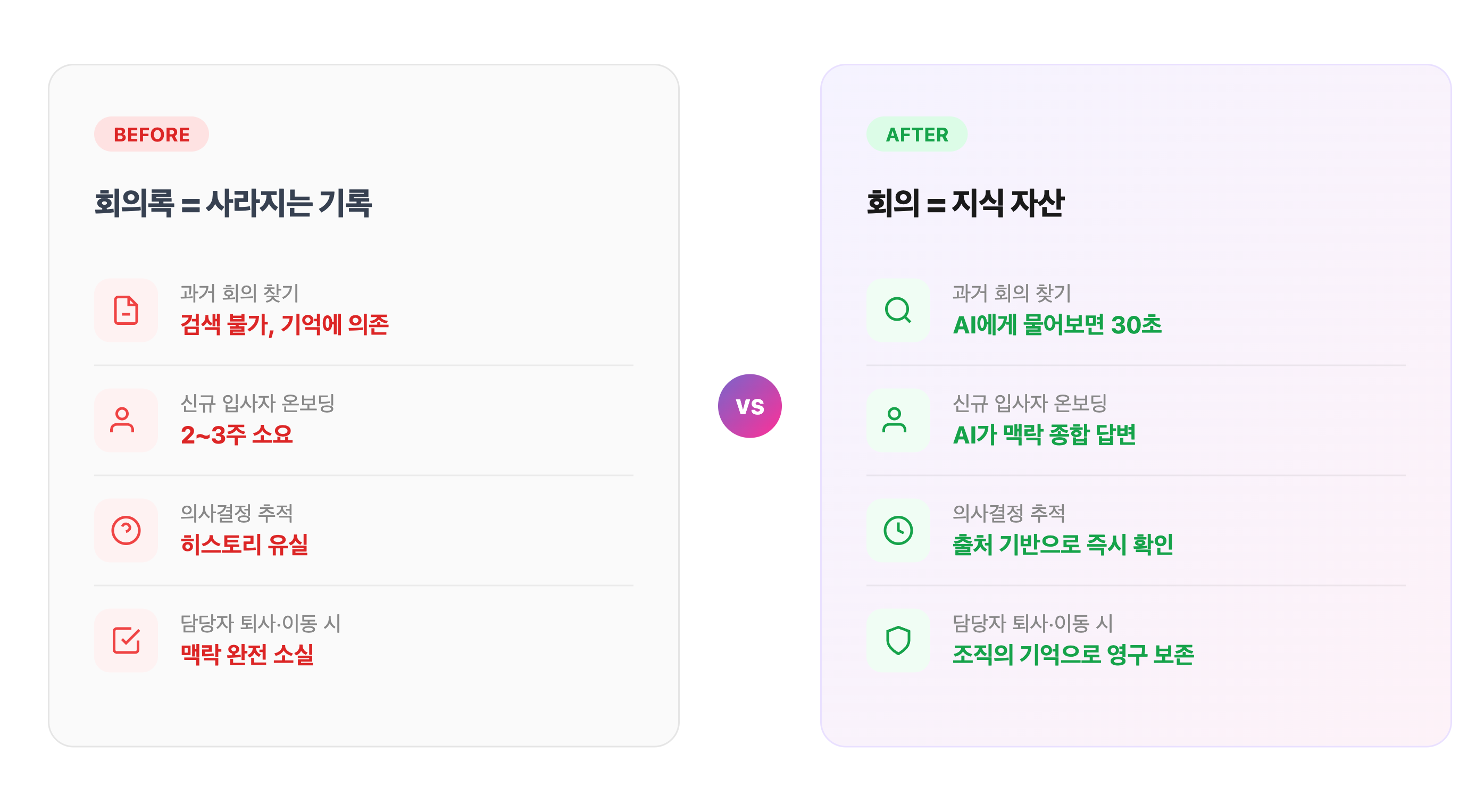
Turn your meetings into organizational knowledge
Ask Knoi transforms every meeting recorded in Knoi into searchable organizational knowledge. The moment a meeting ends, it becomes an asset — not just a record. Anyone can ask questions in natural language, and AI finds the relevant meetings and answers.
How Ask Knoi answers
This isn't simple keyword search. When you enter a question, Ask Knoi automatically:
- Understands your intent and searches across meetings from multiple angles
- Evaluates the relevance of found documents, re-searching with modified queries if needed
- Generates answers via real-time streaming based on relevant documents
- Self-evaluates answer quality and automatically refines if it falls short
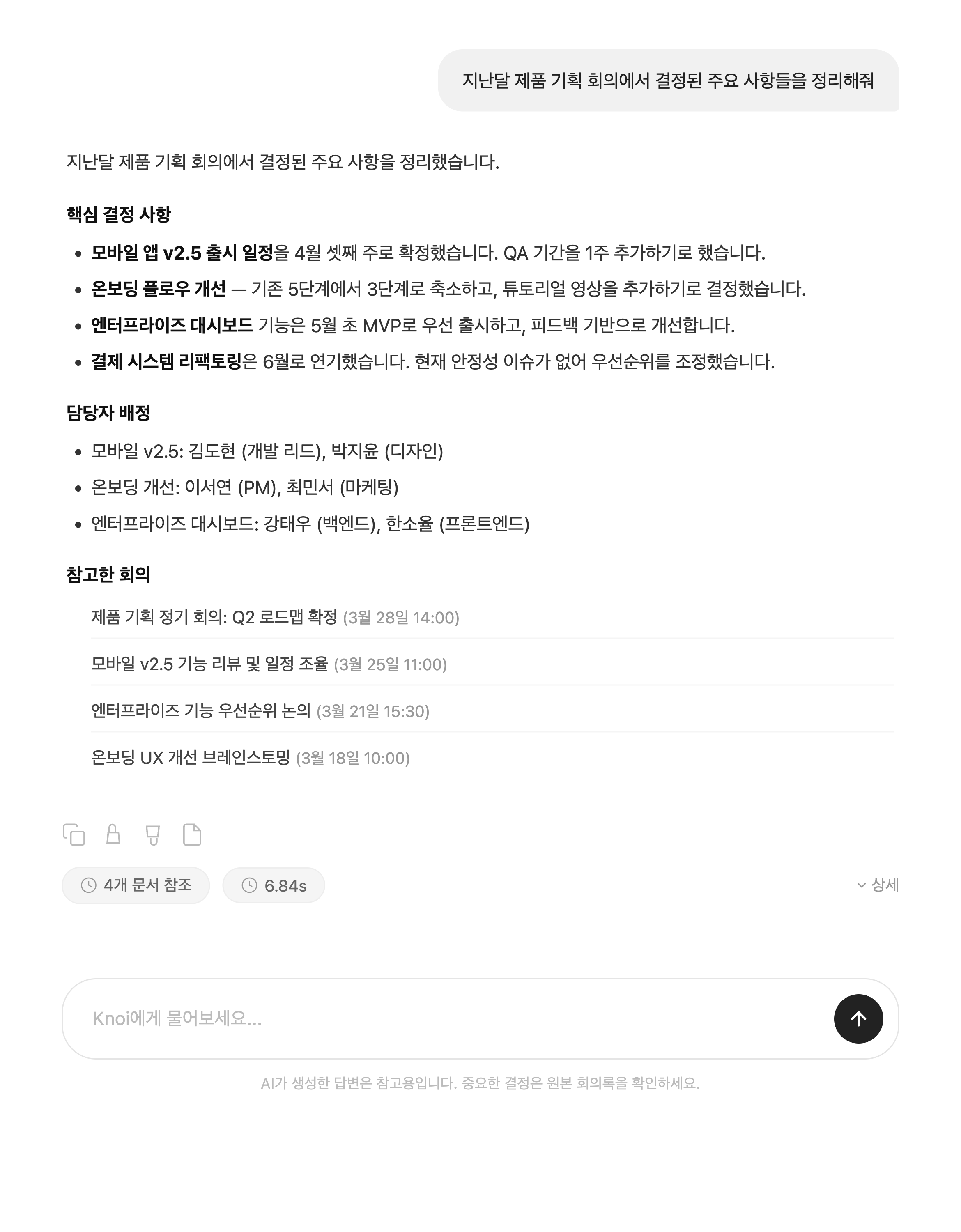
Every answer includes source references showing which meetings were consulted, so you can jump directly to the original meeting notes. You don't have to blindly trust the AI — you can verify the evidence yourself.
What changes when meetings become knowledge assets
When meeting notes transform from simple records into knowledge assets, how your entire organization works changes.
Organizational memory never fades
Even when people leave, transfer departments, or change roles, the context and reasoning behind past decisions remain intact. Organizational memory accumulates in the system, not in people's heads.
"Why was this feature designed this way?" → Ask Knoi answers with the background and alternatives discussed in a design meeting 3 months ago, with source references.
No more repeated discussions
No more re-discussing the same agenda items or revisiting alternatives from scratch. Better decisions emerge when they're built on past context that's already been discussed.
"Last quarter, did we go with Option A or B, and why?" → Ask Knoi synthesizes relevant meetings and summarizes the decision-making process.
Onboarding time shrinks
New hires no longer need to repeatedly ask senior colleagues for context. Project background, technical decisions, team culture — Ask Knoi synthesizes everything discussed in meetings.
"What's the background of this project?" → Organizes relevant meetings chronologically, from the kickoff to the latest progress update.
Follow-ups don't slip through
Easily check whether action items from meetings are being followed up on and who's responsible — all in one query.
"What marketing-related tasks have been discussed so far?" → Compiles marketing action items across multiple meetings at once.
Continue the conversation
Ask Knoi isn't a one-time search. It remembers conversation context, so you can naturally ask follow-up questions.
For example, start with "Summarize last month's marketing meeting," then follow up with "Who was responsible for that?" or "How did that turn out afterward?" — going deeper with each question. You can also load previous conversations and pick up where you left off.
How to use — 3 steps
Step 1. Start Ask Knoi
Select the Ask Knoi tab from the home screen. Starting a chat from a specific meeting focuses the search on that meeting's content.
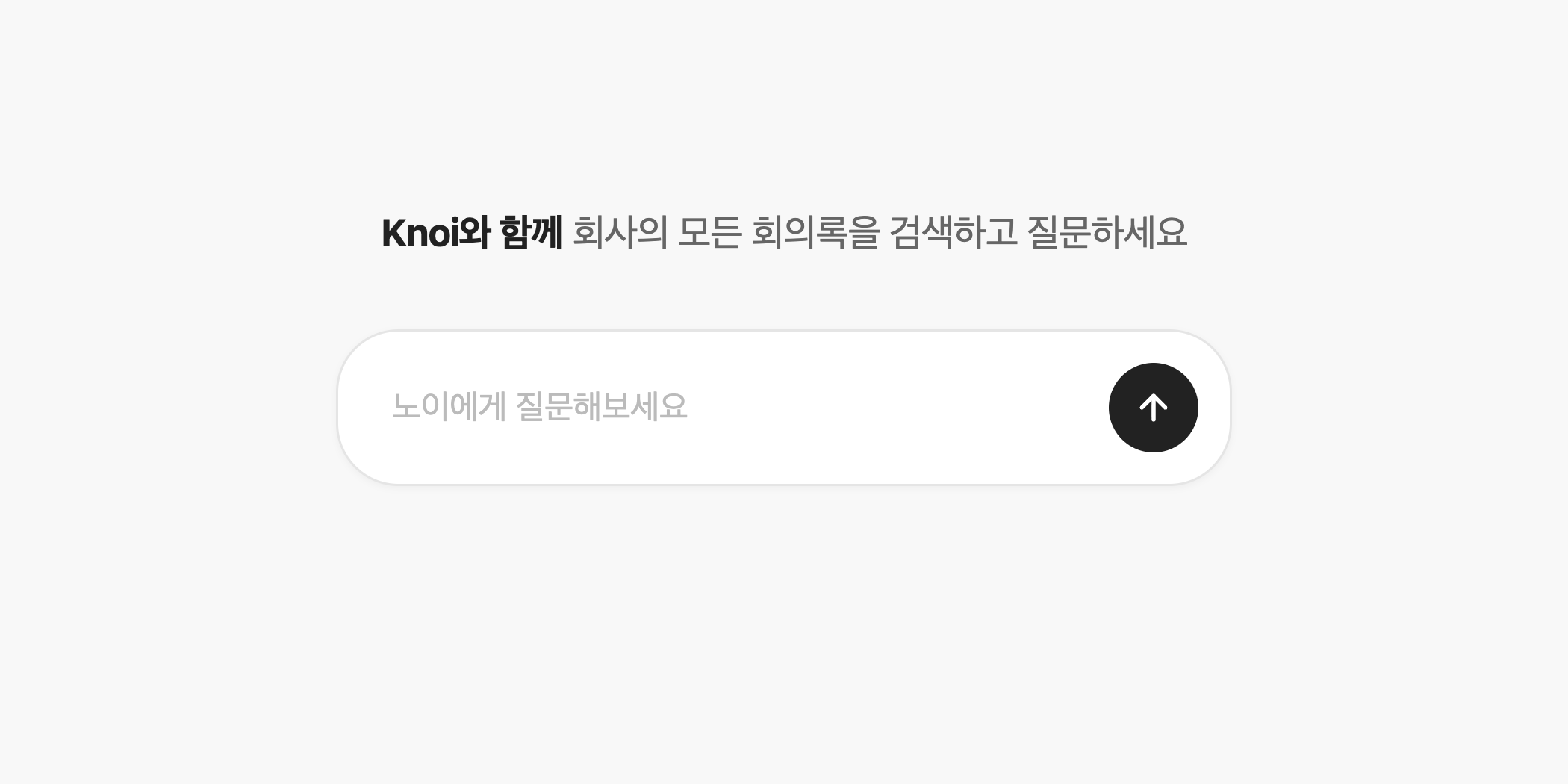
Step 2. Enter your question
Type your question in natural language. Something as simple as "What was decided in last month's design review?" works perfectly.
Step 3. Review the answer
AI finds relevant meetings and streams the answer in real-time. Click the sources at the bottom of the answer to jump directly to the original meeting notes.
Enterprise Early Access
The more meetings your organization accumulates, the more valuable your knowledge assets become — and the more accurate Ask Knoi's answers get.
Ask Knoi is currently available as an enterprise early access feature. We plan to deliver continuous updates with more features and improvements. If you want to turn your meetings into assets, reach out below.